Media
 BLOG
BLOG
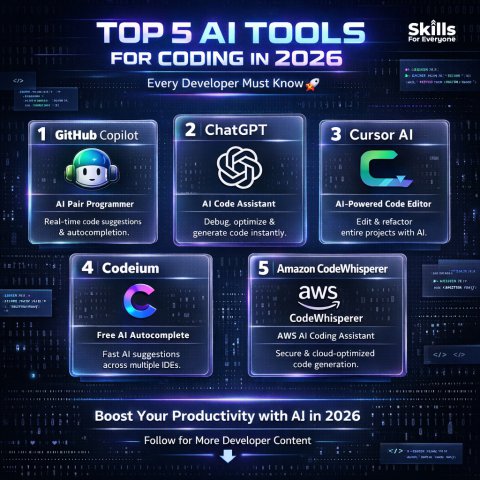
Top 5 AI Tools Every Developer Should Know in 2026
Top 5 AI Tools Every Developer Should Know in 2026 Artificial Intelligence (AI) has completely transformed software development. In 2026, developers are no longer just writing code they collaborate with AI to build faster, smarter, and more scalable applications. 1. ChatGPT Best for: Code generation, debugging, and learning ChatGPT is no longer just a chatbot it has evolved into a powerful coding assistant. Key Features: Write code (HTML, CSS, JavaScript, PHP, Python, etc.) Fix bugs and errors Explain complex concepts Help design APIs and application logic Example Use: You can simply type: ? “Create a login system in PHP” And it will generate a complete working solution. Why Developers Love It: Fast responses Beginner friendly Supports multiple programming languages 2. GitHub Copilot Best for: Real time coding suggestions GitHub Copilot works directly inside your IDE (like VS Code) and provides live code suggestions as you type. Key Features: Auto completes full functions Smart, context aware suggestions Improves coding speed Example Use: As soon as you start writing a function, it can suggest the entire implementation ? Why It’s Powerful: Saves time Eliminates repetitive boilerplate code Boosts productivity 3. Claude Best for: Long code analysis and documentation Claude is especially useful when working with large codebases or detailed documentation. Key Features: Can analyze large files Provides clear and structured explanations Generates documentation Why Developers Use It: Strong context understanding Clean and well organized responses Handles long and complex prompts easily 4. Cursor Best for: AI powered coding environment Cursor is an AI first code editor that takes your development experience to the next level. Key Features: Built in AI chat Code rewriting and optimization Understands entire projects Why It’s Trending: Smart refactoring Full project awareness Faster development workflow 5. Midjourney Best for: UI/UX design and creative assets Developers don’t just need code they also need design. Midjourney helps generate high quality visuals. Key Features: Generate UI ideas Create website graphics Produce creative assets Example Use: ? “Modern SaaS dashboard UI” And you’ll get a ready to use design concept ? Final Thoughts In 2026, a successful developer isn’t the one who does everything manually it’s the one who knows how to use AI tools effectively. Pro Tip Combine these tools for maximum efficiency: ChatGPT + Copilot → Faster coding Claude → Deep understanding Cursor → Smart editing Midjourney → Stunning UI design
 BLOG
BLOG
React vs Next.js in 2026 Which Should You Learn First?
What is React? React is a JavaScript library used for building user interfaces, especially for web applications. It follows a component based architecture, which means you can break your UI into reusable pieces. Key Features: Reusable components Virtual DOM for fast performance Strong ecosystem and community Highly flexible Common Use Cases: Single Page Applications (SPAs) Dashboards Interactive front end apps What is Next.js? Next.js is a framework built on top of React that adds powerful features for building modern web applications. It simplifies many complex tasks and provides a production ready structure. Key Features: Server Side Rendering (SSR) Static Site Generation (SSG) Built in routing system SEO optimization API routes (backend functionality) Common Use Cases: SEO focused websites Blogs and portfolios Full stack applications When Should You Choose React? Choose React if: ? You are a beginner ? You want to understand core JavaScript and UI concepts ? You prefer flexibility and control ? You are building SPAs or small to medium apps When Should You Choose Next.js? Choose Next.js if: ? You want better SEO performance ? You are building production level applications ? You need backend features (APIs) ? You want better performance out of the box Which Should You Learn First in 2026? ? Recommended Learning Path: Step 1: Learn React Understand components Learn state & props Practice hooks (useState, useEffect, etc.) Step 2: Move to Next.js Learn SSR & SSG Understand routing and layouts Build full stack apps using API routes Pro Tip If you jump directly into Next.js without understanding React, you may struggle. But if your React basics are strong, Next.js will feel much easier and more intuitive. Industry Trend in 2026 Many companies prefer Next.js for production apps React is still the core foundation of front end development ? In simple terms: React = Foundation Next.js = Advanced Tool Final Verdict ? Beginner? Start with React ? Know React already? Learn Next.js ? Want jobs or freelancing? Learn both
 BLOG
BLOG
How to Build a Tech Portfolio With No Work Experience
How to Build a Tech Portfolio With No Work Experience Starting a career in tech can feel overwhelming especially when every job asks for experience. But here’s the truth: Why a Portfolio Matters More Than a Resume A resume tells but a portfolio shows. With a strong portfolio, you can: Demonstrate real skills Stand out from other beginners Get freelance clients Increase your chances of getting hired ? Your portfolio is your digital proof of work. Step 1: Choose Your Skill Path Before building a portfolio, decide your focus: Popular Tech Paths: Frontend Development Backend Development Full Stack Development UI/UX Design Mobile App Development ? Don’t try to learn everything at once focus on one path first. Step 2: Build Projects (Even Small Ones) Projects are the backbone of your portfolio. Project Ideas: To do app Weather app Blog website E commerce UI Portfolio website (yes, build your own!) ? Start simple, then gradually build more complex apps. Pro Tip: Instead of copying tutorials exactly, try to: Add your own features Change design Improve functionality ? This shows real understanding. Step 3: Use GitHub to Showcase Code GitHub is where developers store and share their code. What to Do: Upload all your projects Write clear README files Add screenshots and descriptions ? Recruiters often check your GitHub profile first. Step 4: Create a Personal Portfolio Website This is your online identity. Include: About Me section Your projects Skills Contact information ? Make it simple, clean, and mobile friendly.
 BLOG
BLOG
What is Ethical Hacking? A Beginner's Introduction
What is Ethical Hacking? A Beginner’s Introduction In today’s digital world, cyber threats are increasing every day. From data breaches to ransomware attacks, businesses and individuals are constantly at risk. What is Ethical Hacking? Ethical hacking is the practice of testing and securing computer systems, networks, and applications by identifying vulnerabilities with permission. ? In simple terms: Ethical hackers think like attackers to stop real hackers before they cause damage. Who is an Ethical Hacker? An ethical hacker (also called a white hat hacker) is a cybersecurity expert who: Finds security weaknesses Tests system defenses Helps fix vulnerabilities Protects data and systems ? They work legally and follow strict guidelines. Types of Hackers Understanding different types of hackers is important: White Hat Hackers (Ethical Hackers) Work legally Help organizations improve security Black Hat Hackers Hack systems illegally Steal or damage data Grey Hat Hackers Mix of both May hack without permission but not for malicious intent What Do Ethical Hackers Do? Ethical hackers perform tasks like: Penetration testing (simulated attacks) Network security analysis Web application testing Identifying bugs and vulnerabilities Securing databases and servers ? Their goal is to find problems before attackers do. Common Tools Used in Ethical Hacking Here are some popular tools used by ethical hackers: Kali Linux A powerful OS for security testing Metasploit For exploiting vulnerabilities Wireshark For analyzing network traffic Nmap For discovering networks and ports Skills You Need to Become an Ethical Hacker To get started, you should learn: Technical Skills: Networking basics (IP, DNS, TCP/IP) Operating systems (Linux & Windows) Programming (Python, JavaScript, Bash) Web technologies (HTML, CSS, APIs) Security Knowledge: Common vulnerabilities (SQL Injection, XSS) Cryptography basics System security practices Certifications That Can Help If you want to go professional, consider certifications like: EC Council Certified Ethical Hacker (CEH) CompTIA Security+ Offensive Security Certified Professional (OSCP) ? These boost your credibility and job chances. Is Ethical Hacking Legal? ? Yes but only with permission. Ethical hacking is legal when: You have authorization You follow rules and contracts You report findings responsibly Without permission, it becomes illegal hacking. Career Opportunities Ethical hacking is one of the most in demand careers in 2026. Job Roles: Penetration Tester Security Analyst Cybersecurity Engineer Bug Bounty Hunter ? Companies are always looking for skilled security professionals. Why Ethical Hacking is Important Protects sensitive data Prevents cyber attacks Saves companies from financial loss Builds trust with users ? In short: Ethical hackers are the defenders of the digital world. How to Get Started (Beginner Roadmap) Learn basic networking Understand Linux (start with Kali Linux) Learn programming (Python recommended) Practice on labs (TryHackMe, Hack The Box) Study security concepts Start small projects Conclusion Ethical hacking is not just about hacking it’s about protecting systems and making the internet safer. ? If you enjoy problem solving, security, and technology, this field can be a powerful career path for you.
 BLOG
BLOG
UK Tech Jobs Report 2026 What Skills Are in Demand?
?? UK Tech Jobs Report 2026 What Skills Are in Demand? The UK tech industry continues to grow rapidly in 2026, creating thousands of new job opportunities across software development, cybersecurity, AI, and cloud computing. Overview of the UK Tech Job Market in 2026 The UK remains one of the leading tech hubs in Europe, especially cities like: London Manchester Birmingham Key Trends: Increased demand for AI driven solutions Remote and hybrid jobs are now standard Startups and scale ups are hiring aggressively Companies prefer skill based hiring over degrees ? This means your portfolio and practical skills matter more than ever. Top In Demand Tech Skills in 2026 1. Artificial Intelligence & Machine Learning AI is dominating every industry from healthcare to finance. In Demand Skills: Machine Learning models Natural Language Processing (NLP) Deep Learning AI integration in apps Tools to Learn: TensorFlow PyTorch ? AI engineers are among the highest paid roles in the UK. Cloud Computing Cloud technology is essential for modern applications. In Demand Platforms: Amazon Web Services (AWS) Microsoft Azure Google Cloud Skills: Cloud architecture Deployment & scaling DevOps practices ? Companies need developers who can build and deploy scalable systems. Cybersecurity With rising cyber threats, security professionals are in huge demand. Skills Needed: Ethical hacking Network security Risk analysis Security compliance ? Cybersecurity roles are critical across all industries. 4. Full Stack Development Full stack developers continue to be highly valuable. Frontend: React Next.js Backend: Node.js Python APIs & databases ? Companies prefer developers who can handle both frontend and backend. 5. Data Science & Analytics Data is the new oil and companies need experts to analyze it. Skills: Data analysis Data visualization SQL & Python Business intelligence ? Data-driven decision making is a top priority. 6. DevOps & Automation Speed and efficiency are key in modern development. Skills: CI/CD pipelines Automation tools Containerization (Docker, Kubernetes) ? DevOps engineers help teams deploy faster and more reliably. Most In Demand Tech Roles Here are some of the hottest job roles in the UK (2026): AI Engineer Cloud Engineer Cybersecurity Analyst Full-Stack Developer Data Scientist DevOps Engineer ? These roles offer high salaries and strong career growth. Remote Work & Global Opportunities In 2026: Remote jobs are widely accepted UK companies hire international talent Freelancing is growing rapidly ? You don’t need to live in the UK to work for UK companies. Soft Skills That Matter Technical skills alone are not enough. Important Soft Skills: Problem solving Communication Team collaboration Adaptability ? Employers look for well rounded developers. How to Prepare for the UK Tech Market ? Action Plan: Choose a specialization (AI, Web Dev, Cloud, etc.) Build real world projects Create a strong portfolio Learn modern tools & frameworks Practice coding interviews Stay updated with industry trends Conclusion The UK tech job market in 2026 is full of opportunities but only for those who are prepared. ? Focus on: High demand skills Real world projects Continuous learning If you align your skills with market demand, you can: Land high paying jobs Work with global companies Build a strong tech career
 BLOG
BLOG
What Is DeepSeek and Should UK Businesses Use It?
What Is DeepSeek and Should UK Businesses Use It? Artificial Intelligence is evolving rapidly, and new tools are constantly entering the market. One of the most talked about AI platforms recently is DeepSeek. But what exactly is DeepSeek? And more importantly should UK businesses start using it in 2026? Let’s break it down in a simple and practical way. What Is DeepSeek? DeepSeek is an advanced AI platform that provides powerful language models and coding capabilities, similar to tools like ChatGPT. It is designed to: Generate human like text Assist with coding and development Solve complex problems Analyze large amounts of data ? In simple terms: DeepSeek is an AI assistant for businesses, developers, and researchers. Key Features of DeepSeek 1. Advanced Language Models DeepSeek can generate high quality content, including: Blog posts Emails Reports Documentation 2. Strong Coding Capabilities It helps developers: Write code Debug errors Optimize performance Understand complex logic 3. Cost Effective AI Solution Compared to some competitors, DeepSeek is often considered: More affordable Efficient for large-scale usage ? This makes it attractive for startups and growing businesses. 4. Large Context Understanding DeepSeek can process long inputs, which is useful for: Analyzing documents Reviewing codebases Handling detailed queries ?? Why UK Businesses Are Interested in DeepSeek In the UK, companies are rapidly adopting AI to stay competitive. Key Reasons: Automation of repetitive tasks Faster content creation Improved customer support Reduced operational costs ? AI tools like DeepSeek can significantly improve productivity. Use Cases for UK Businesses 1. Customer Support Automation Businesses can use DeepSeek to: Power chatbots Handle FAQs Provide 24/7 support 2. Marketing & Content Creation Blog writing Social media content Email campaigns ? Saves time and reduces content creation costs. 3. Software Development Code generation Debugging Documentation ? Helps development teams move faster. 4. Data Analysis Process large datasets Generate insights Create reports Pros and Cons of DeepSeek Advantages: Cost effective Powerful performance Strong coding support Handles large inputs Challenges: Still evolving technology May require technical setup Data privacy concerns Limited ecosystem compared to bigger platforms Data Privacy & Compliance (Important for UK) UK businesses must follow strict data protection laws like GDPR. ? Before using DeepSeek, companies should: Review data handling policies Avoid sharing sensitive data Ensure compliance with UK regulations Should UK Businesses Use DeepSeek? ? Yes but with a strategy. Use DeepSeek if: ? You want a cost effective AI solution ? You need strong coding and analysis tools ? You are experimenting with AI adoption Be cautious if: You handle sensitive data You need a fully mature ecosystem You require strict compliance controls Final Recommendation For UK businesses in 2026: ? Start small ? Test DeepSeek in non-critical tasks ? Compare it with tools like ChatGPT ? Scale usage based on results Conclusion DeepSeek is an exciting and powerful AI platform that is gaining attention worldwide. ? For UK businesses, it offers: Cost savings Increased productivity Competitive advantage But like any new technology, it should be used carefully and strategically.
 BLOG
BLOG
Tailwind CSS v4 What's New and Why It Matters
Tailwind CSS v4 What’s New and Why It Matters Frontend development continues to evolve rapidly, and one of the most popular CSS frameworks Tailwind CSS has taken a major leap forward with version 4. But what exactly is new in Tailwind CSS v4? And why should developers care? Let’s break it down in a simple and practical way. What is Tailwind CSS? Tailwind CSS is a utility first CSS framework that allows developers to build modern, responsive designs directly in HTML using pre defined classes. ? Instead of writing custom CSS, you use utility classes like: flex, grid, p-4, text-center, etc. This approach makes development: Faster More consistent Easier to maintain What’s New in Tailwind CSS v4? Tailwind CSS v4 introduces several major improvements focused on performance, developer experience, and modern web standards. 1. Faster Build Performance One of the biggest upgrades in v4 is significantly improved build speed. What Changed: Optimized compilation process Reduced build times Better caching ? This means faster development and quicker reloads. 2. Simplified Configuration Tailwind v4 reduces the need for complex configuration files. Improvements: Less dependency on large config setups Easier customization Cleaner project structure ? Great for beginners and teams alike. 3. Native CSS Features Integration Tailwind v4 embraces modern CSS features. Examples: CSS variables Native nesting Improved layering ? This makes your code more future proof and aligned with modern standards. 4. Smaller Bundle Size Performance matters especially for production apps. Benefits: Reduced CSS file size Faster page load times Better user experience 5. Improved Design System Tailwind v4 introduces enhancements to its design system. Updates: Better color management More consistent spacing Improved typography utilities ? Helps maintain a clean and professional UI. Conclusion Tailwind CSS v4 is not just an update it’s a major step forward in modern frontend development. ? It offers: Faster performance Simpler configuration Better developer experience Future ready CSS features If you’re building web applications in 2026, Tailwind CSS v4 is definitely worth adopting.
 BLOG
BLOG
10 Common Tech Interview Questions and How to Answer Them
10 Common Tech Interview Questions and How to Answer Them Preparing for a tech interview can be stressful especially if you don’t know what to expect. The good news? ? Many interview questions are repeated across companies. In this guide, we’ll cover 10 common tech interview questions and how to answer them effectively so you can stand out and increase your chances of getting hired. 1. Tell Me About Yourself ? What Interviewers Want: A quick summary of your background, skills, and goals. How to Answer: Start with your current role or learning stage Mention relevant skills Highlight your goals ? Example: “I’m a frontend developer with experience in React and Tailwind CSS. I’ve built several responsive web applications and I’m currently focusing on improving my full stack skills.” 2. What Programming Languages Do You Know? ? What They Want: Your technical strengths. How to Answer: Mention 2 4 languages you are confident in Explain how you’ve used them ? Example: JavaScript, Python, PHP 3. Explain a Project You’ve Worked On ? What They Want: Proof of real experience. How to Answer: Describe the project Explain your role Mention technologies used Highlight challenges ? Focus on impact and learning, not just features. 4. How Do You Debug Code? ? What They Want: Your problem solving approach. How to Answer: Break problem into steps Use logs, tools, and testing Identify root cause ? Mention tools like browser dev tools or debugging techniques. Conclusion If you prepare these common questions properly, you’ll already be ahead of many candidates. ? Remember: Practice consistently Build projects Stay confident And you’ll increase your chances of landing your dream tech job
 BLOG
BLOG
AI in Marketing How It's Changing the Industry in 2026
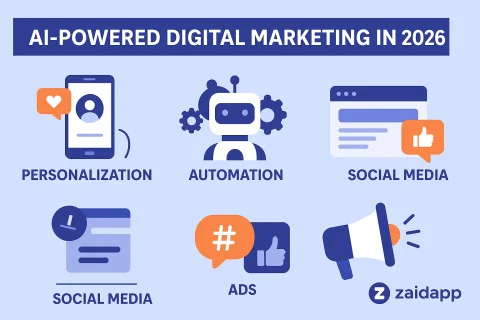
AI in Marketing How It’s Changing the Industry in 2026 Artificial Intelligence (AI) is no longer a futuristic concept it’s a core part of modern marketing. In 2026, businesses are using AI to: Understand customers better Automate campaigns Increase conversions Deliver personalized experiences ? The result? Smarter marketing, faster growth, and higher ROI. What is AI in Marketing? AI in marketing refers to the use of machine learning, data analysis, and automation tools to improve marketing strategies and decision making. ? In simple terms: AI helps marketers work smarter, not harder. Key Ways AI is Transforming Marketing 1. Hyper Personalization AI allows businesses to deliver highly personalized content to users. Examples: Product recommendations Personalized emails Custom landing pages ? Tools like ChatGPT help generate tailored content at scale. 2. AI Powered Content Creation Creating content used to take hours now it takes minutes. What AI Can Do: Write blog posts Generate social media captions Create ad copy Produce video scripts ? This helps marketers scale content production quickly. 3. Predictive Analytics AI can analyze past data to predict future behavior. Benefits: Identify potential customers Forecast sales trends Improve campaign targeting ? Marketers can make data driven decisions instead of guessing. 4. Chatbots & Customer Support AI chatbots provide instant support to users. Advantages: 24/7 availability Instant responses Reduced workload for teams ? Improves customer satisfaction and engagement. AI in Design & Creativity AI tools are helping marketers create visuals faster. Tools: Midjourney Canva ? You can generate ads, banners, and social media graphics in seconds. Conclusion AI is transforming marketing in 2026 from content creation to customer engagement. ? Businesses that adopt AI early will: Stay ahead of competitors Deliver better customer experiences Achieve faster growth